Field guide
Start with one koi.
Choose its garden, give it a meal, and place your first lily pad. Bring home a second koi when you’re ready.
Open your pond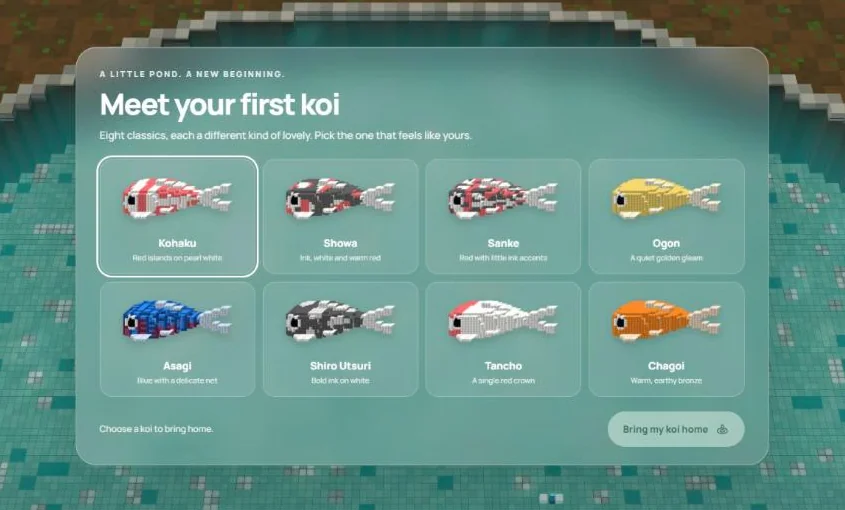
Your first ten minutes
You begin with one koi and a bare pond. There’s room to build at your own pace.
Pick your first koi
Choose one of eight classic varieties. Tap Bring my koi home to keep it.
Choose the view around you
Pick one of six garden settings. This is the border around your plot. You place the pieces inside it.
Give your koi a meal
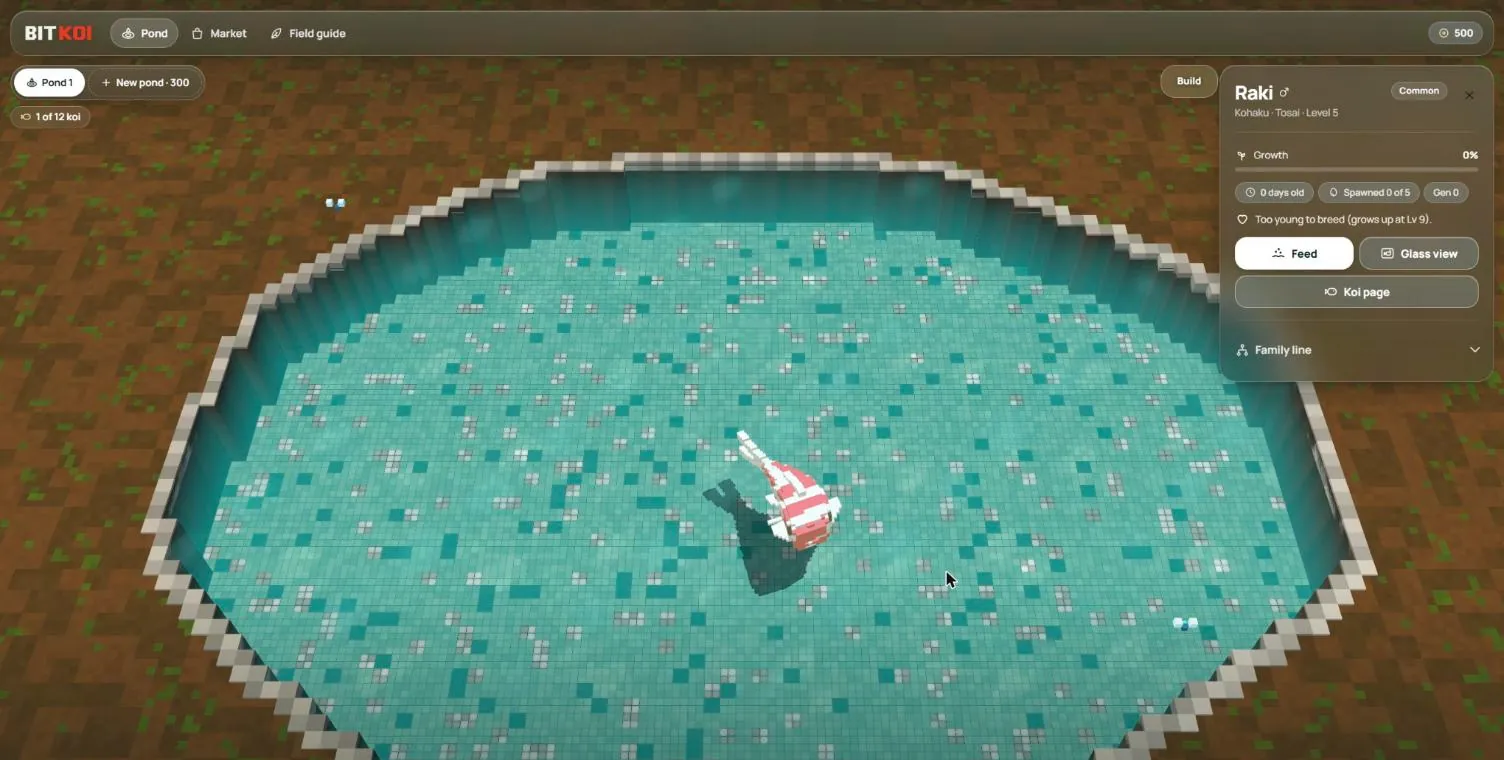
Tap your koi, then tap Feed. Food falls into the water and nearby koi swim over to eat.
Place your first pieces
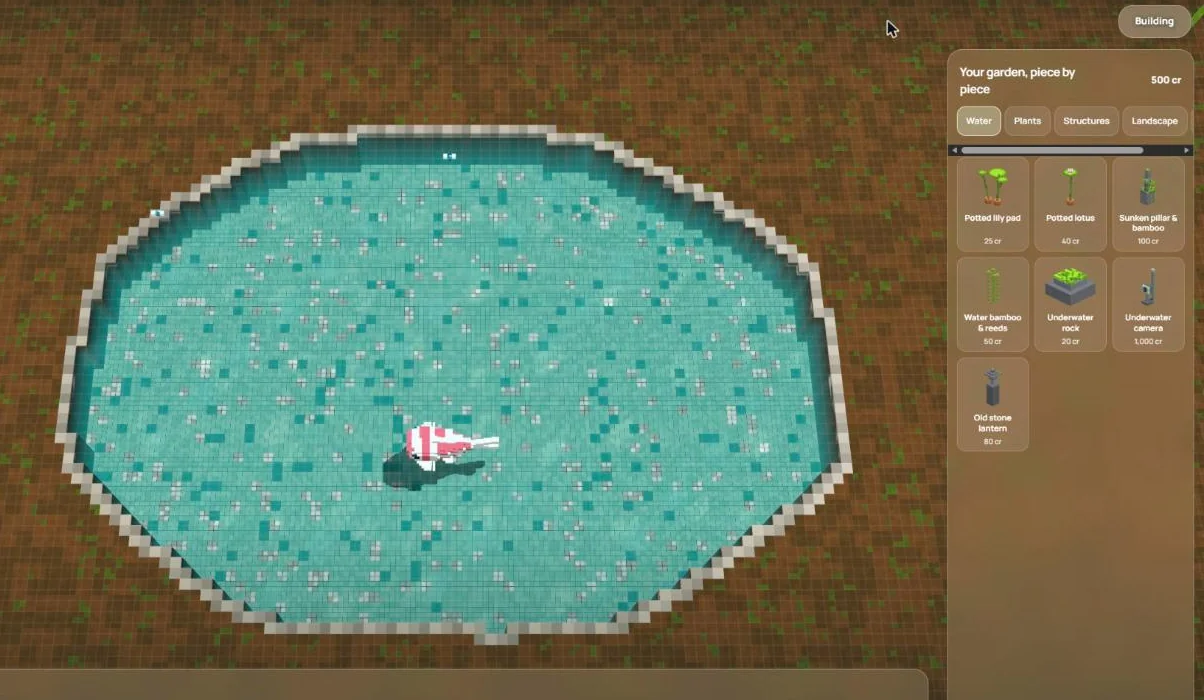
Open Build. Choose a piece and find a clear spot. On a phone, tap to see its outline, then tap Place.
Bring home a partner
Visit the market to buy a second koi with credits. For breeding, you’ll need one female and one male. Check their life stages, too.
Feeding & care
Scatter free food in a few spots and watch your koi come for a nibble. To make sure a shy koi gets a meal, tap it and choose Feed.
Content koi grow a little each day, even while you are away. A full tummy, friendly neighbours and room to swim help them feel at home. Tap a koi to see how it feels.
For a little extra, choose Give a treat. Every flavour is loved. Treats are optional; everyday food is always free.
Growing up
With meals and a happy home, your little koi will grow into an Adult. Your first koi can grow up in about a day of gentle care. Watch its body grow and its markings become clearer. Older koi keep all the growing they have done.
- FryThe smallest stage
- TosaiFrom level 4
- NisaiFrom level 9
- AdultFrom level 15
Breeding
Two grown koi. One egg. Nobody knows what hatches. You meet the baby when it arrives, then watch its markings become clearer as it grows.
- Choose one female and one male in the same pond. Both must be Adults.
- Each koi can be a parent five times in its life. Each pairing counts for both parents.
- Koi must be under 60 days old to breed. Older koi stay in your pond as elders.
- Both parents need to feel happy and rested. After pairing, they rest for a day.
- Leave room for the egg. Eggs count towards your pond’s space. Only one pair can lay an egg at a time.
Tap a ready koi and choose Choose a mate. Tap its partner, then Pair them. Make a little room for their baby. An egg usually hatches overnight; a cosy garden can help it hatch sooner. Your pond can hold three waiting eggs, and they will always wait safely for you.
Little gifts arrive as you visit, care for your pond and meet new koi families. Sometimes you will earn a happiness gift to share with a koi. Come back when you like. There is no streak to keep.
Rarity tiers
A koi’s tier comes from how it looks. Here is the ladder, from Common to Legendary.
- Common
- Uncommon
- Rare
- Mythic
- Legendary
Longer fins, net-like markings and extra pattern detail can move a koi up the ladder. Look for fin spots, head marks, rings and stripes.
A symbol mark, glowing eyes or glowing scales can put a koi in Mythic. A tier tells you about the fish you can see. It doesn’t tell you what its baby will look like.
Building your garden
Open Build and choose a piece. Water pieces go in the pond. Most other pieces need dry ground. Keep the spawning bed clear.
The drawer has five groups: Water, Plants, Structures, Landscape and Paths.
Check the outline before placing. Use Rotate to turn a piece. Drag a placed piece to move it. Undo takes back your last edit; Done returns to your koi.
| Piece | Credits |
|---|---|
| Fern | 10 |
| Cobblestone path | 20 |
| Potted lily pad | 25 |
| Stone lantern | 80 |
| Tea house | 400 |
| Underwater camera | 1,000 |
Six garden settings
Each new pond lets you choose a setting for its border. Your plot starts bare. These finished gardens show what you can build towards.
Market basics
Buy koi with credits in the market. Check the price, life stage and sex before choosing a partner. Make sure your active pond has room for another koi.
You can find your koi a new home, too. Under Your koi, set a price and choose List for sale. Your koi leaves the pond while it waits. Choose the guide price or less for a quick sale. A higher price may take longer. Until it sells, you can cancel and bring it home with its whole story.
A 7.5% fee, rounded up is taken from a new sale. Old pending sales keep their original promised proceeds.
Classic varieties
These are the eight choices for your first koi. Look for the colours and marks below. Open a portrait to see its koi page. On a phone, tap once to make it swim, then tap again to open.